
Your merchant QR code
A code that identifies your business, ready to download from your settings.
Merchant
Give your business a QR code for payments, a code for each payment link, and a digital menu code for tables. Download them, print them, put them where customers are.
What you get
A code that identifies your business, ready to download from your settings.
Every payment link has its own QR code you can show on screen or print.
In menu mode, a QR code opens your menu so guests can order and pay from the table.
A reusable link with its code on the counter takes payments without anyone typing an amount.
At the counter and the table
Stick it on the till, the door, the tables or a delivery bag. It answers “how do I pay?” before anyone has to ask.
Digital menu
Table 7A day in your business
The old wayReading out account numbers across a counter
With PaybleA code to scan
The old wayPrinted menus that go out of date
With PaybleA digital menu you update in one place
The old wayGuessing whether a customer has paid
With PayblePayments recorded as they happen
How it works
Merchant, payment link or menu.
Save the image, print it or show it on a screen.
They land on your checkout or your menu and pay or order.
In the app
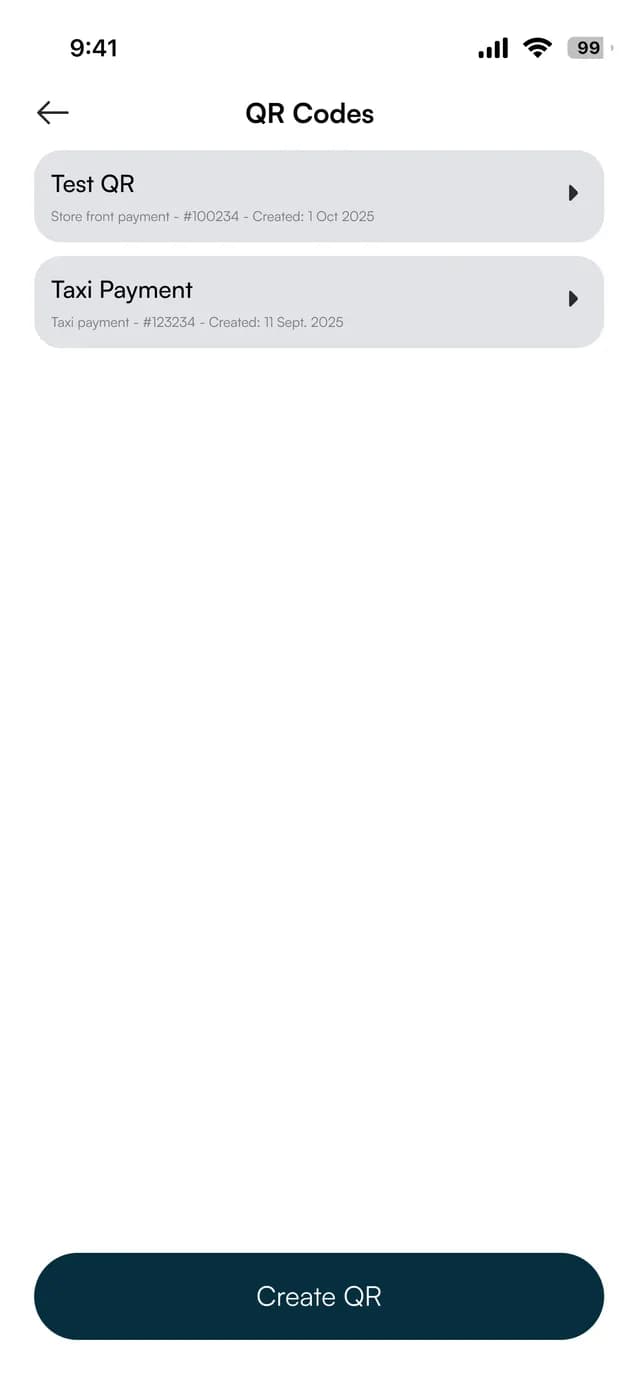
A code for a shop front, a taxi or a table. The names and figures on these screens are sample data.
Your codes
Every QR code you have made, with what it is for and when it was created.
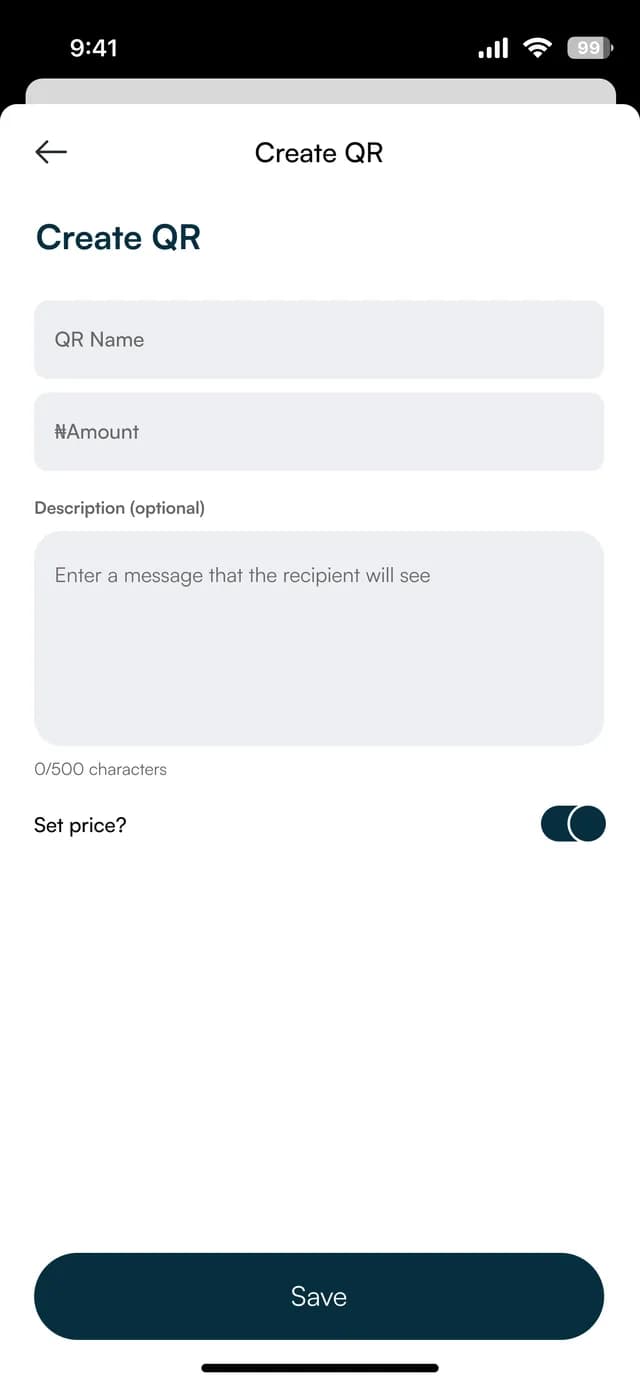
Make one
Name the code, add an amount and a message, or leave the price for the customer.
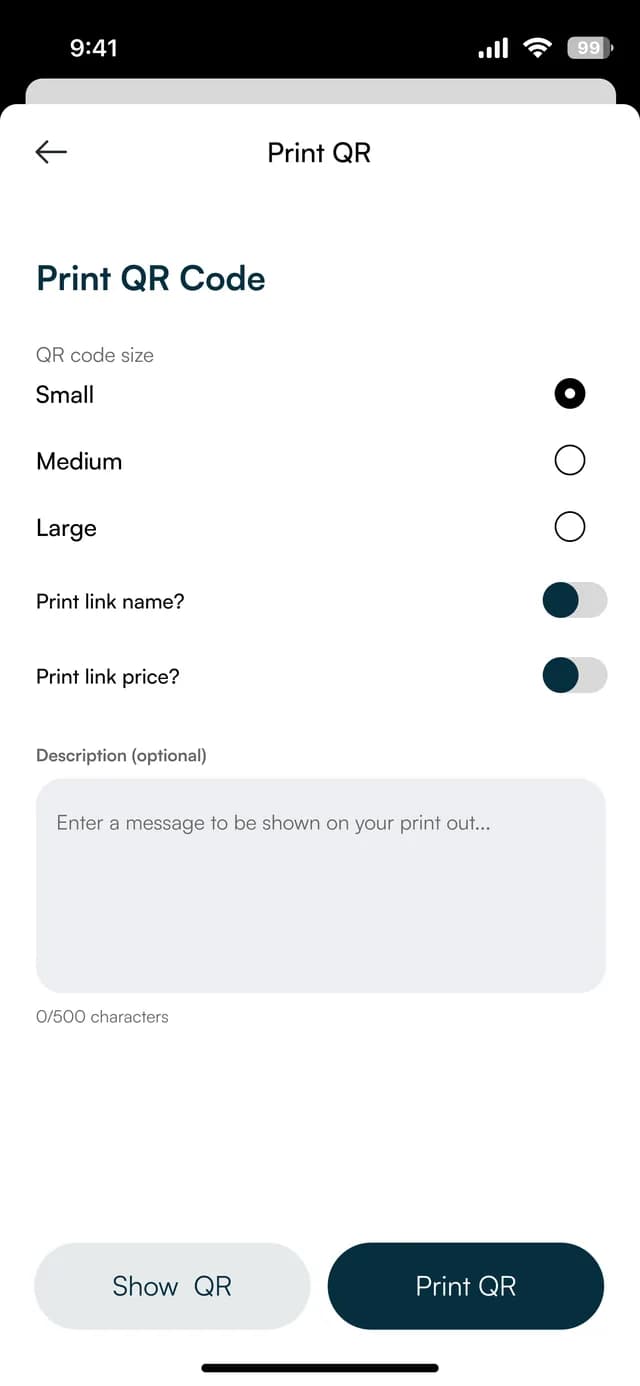
Print it
Choose a size and whether to print the name and the price with it.
FAQ
Straight answers about Payble, your money and how it works.
No. A customer scans with their phone camera and completes payment or ordering on the web page that opens.
Yes, if your storefront is in menu mode you can download a digital menu QR code.
Your merchant code is in your business settings, each payment link has its own, and the menu code is in your storefront settings.
Tell us about your business and we will set you up and help you start using it.