
Card and contactless
Pair a card reader or terminal and take card and contactless payments in the shop or on the move.
Merchant
Card, contactless, bank transfer, payment links, your online storefront and cash at the till all land in one place, with a receipt sent for each sale.
What you get
Pair a card reader or terminal and take card and contactless payments in the shop or on the move.
Your business account has its own account number, so a customer can pay by transfer and the sale is recorded.
Send a payment link or let customers order and pay on your storefront.
Card swipes, transfers, links, storefront orders and till cash appear in one live list you can filter.
See the whole day
Stop stitching together a bank statement, a notebook and a terminal slip. Everything that came in today is in one list, with the channel it came through.
This week
Up on last weekMoney in
₦1,830,000
Busiest day
Saturday
Proof of payment
A digital receipt with a reference means fewer arguments about what was paid, and a record for the customer too.
New sale
In store₦12,500
A day in your business
The old wayChecking a bank app, a terminal slip and a notebook to work out today's takings
With PaybleOne ledger, filtered by channel
The old wayCustomers saying they paid, and you having no way to check
With PaybleEvery payment has a reference and a status
The old wayHanding over paper receipts, or none at all
With PaybleA digital receipt for every sale
How it works
Enter the amount in the app, or let an order or link supply it.
Card, transfer or link, whichever suits them.
The sale joins your ledger and the customer gets a digital receipt.
In the app
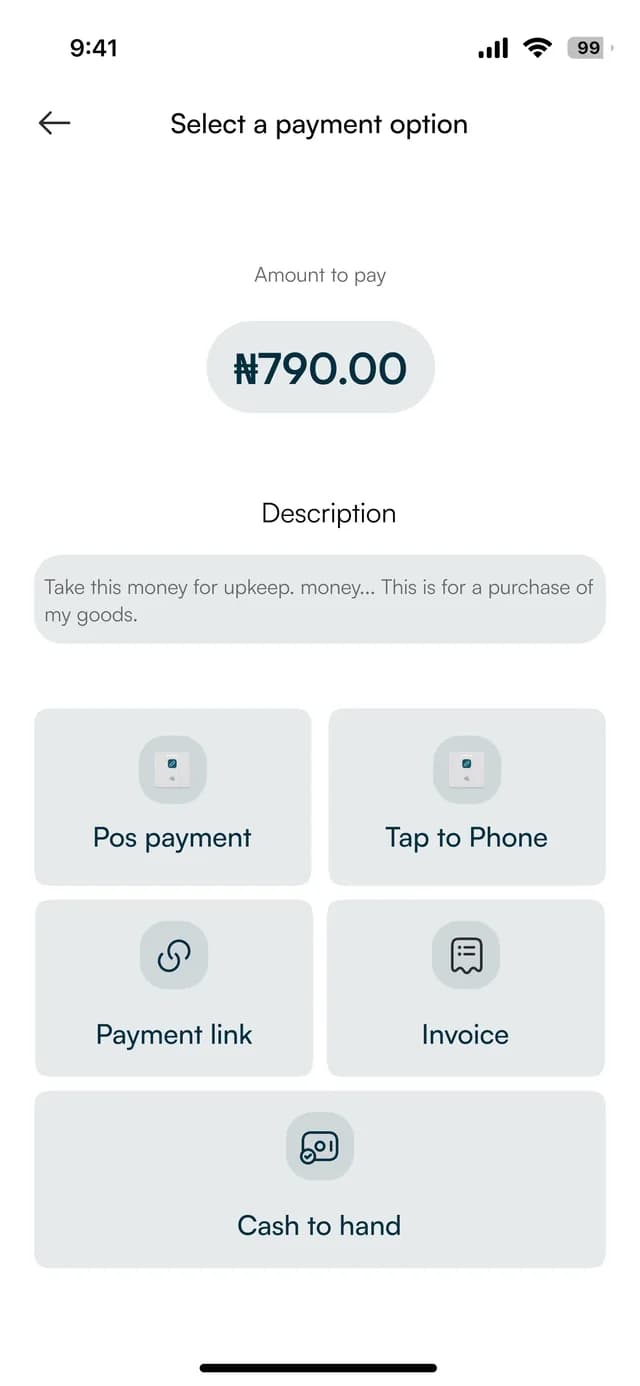
One screen, every way to charge. The amounts on these screens are sample data.
Pick a way to charge
POS payment, tap to phone, payment link, invoice or cash to hand.
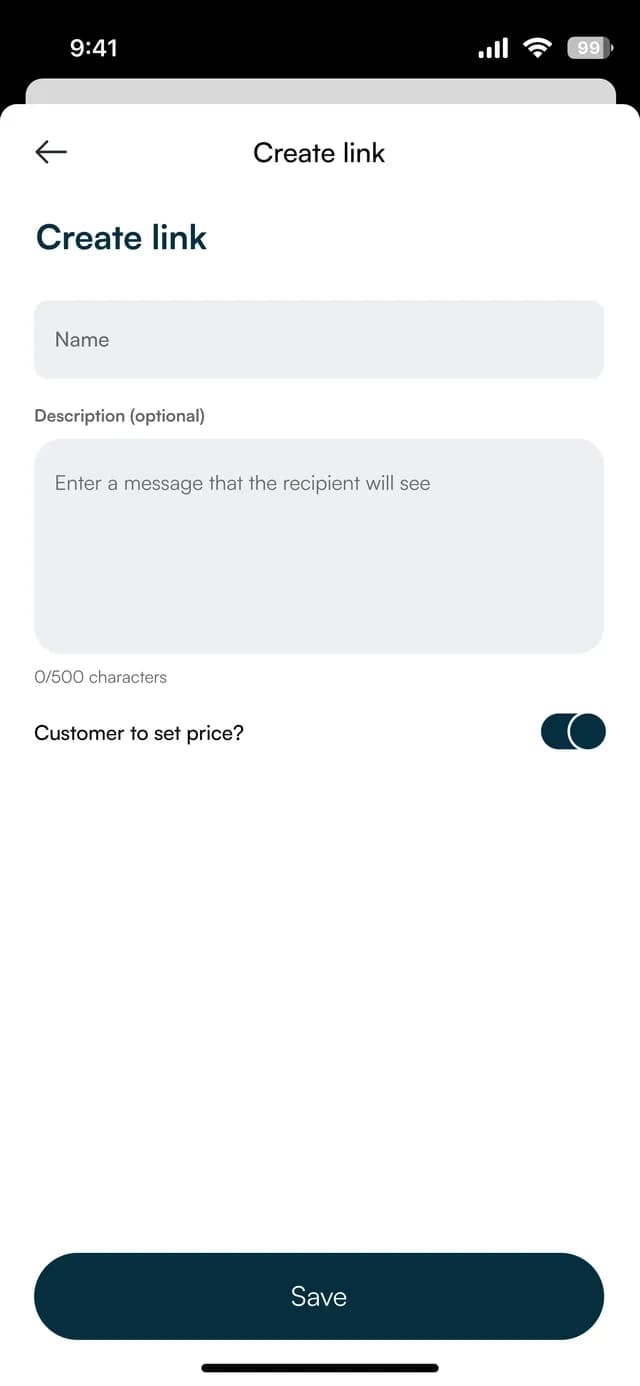
Send a link
Name a payment link, add a message and choose whether the customer sets the price.
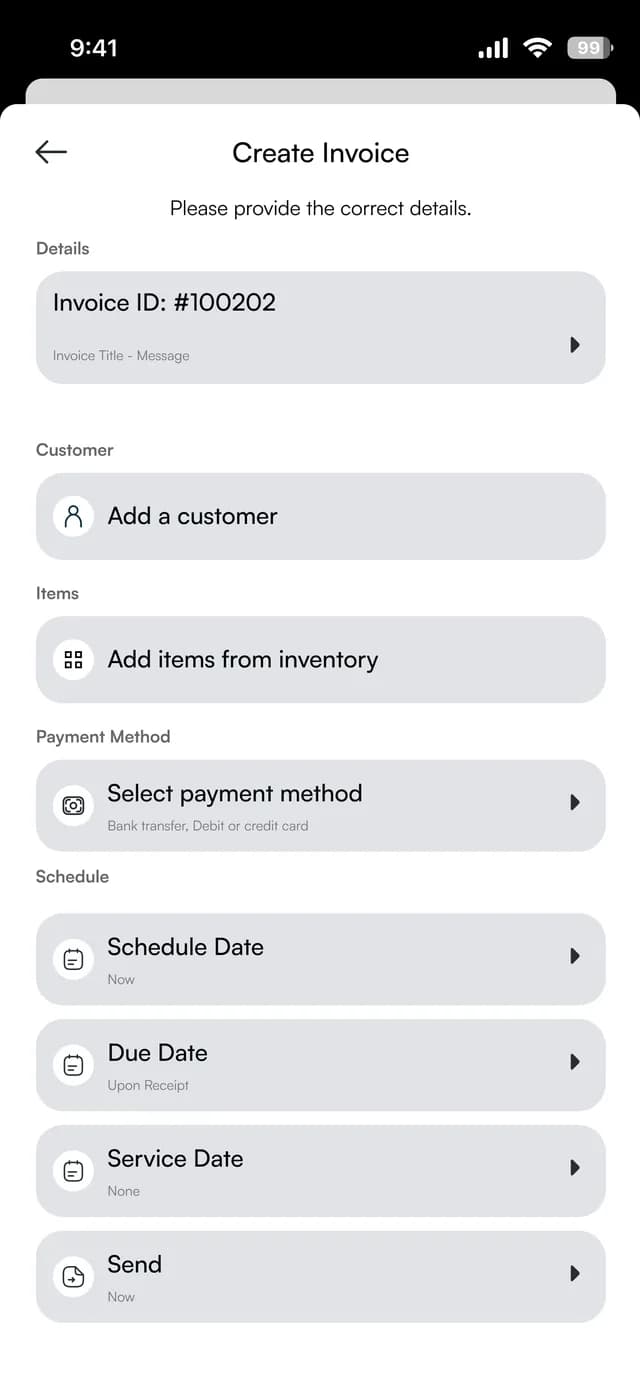
Or invoice
Add a customer and items, choose a payment method and set the dates.
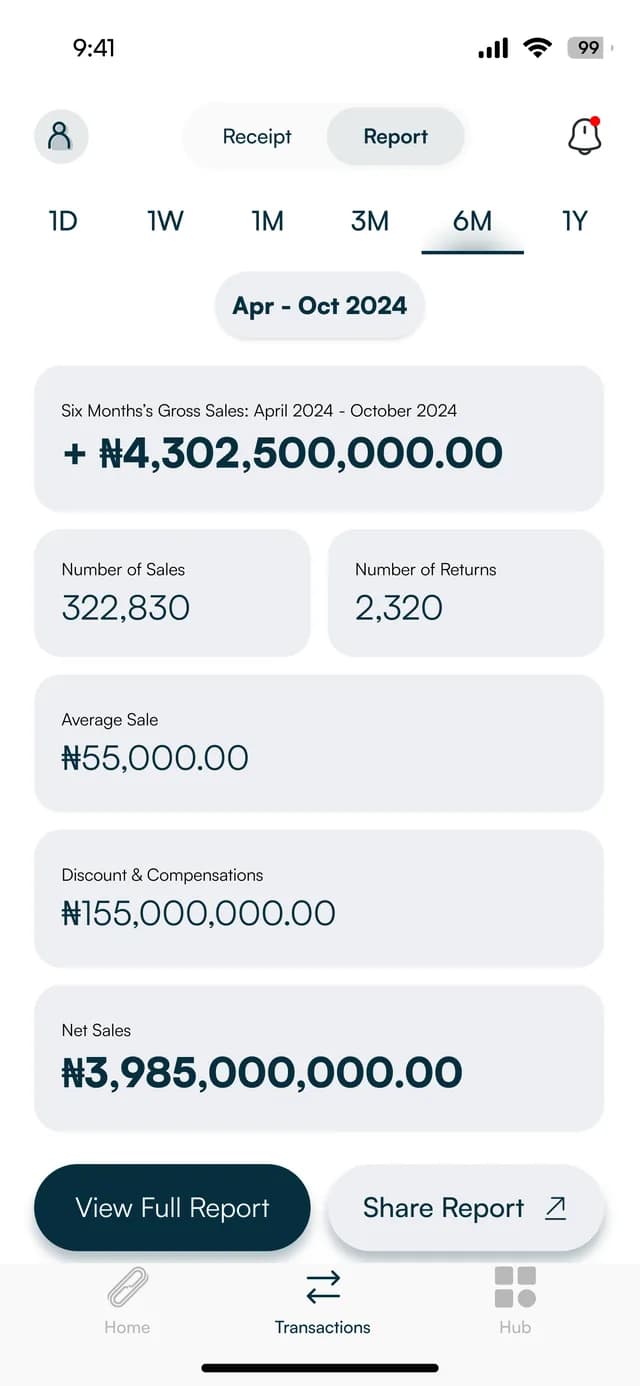
See it all
Sales, returns, average sale and net sales for the period you choose.
At the counter and online
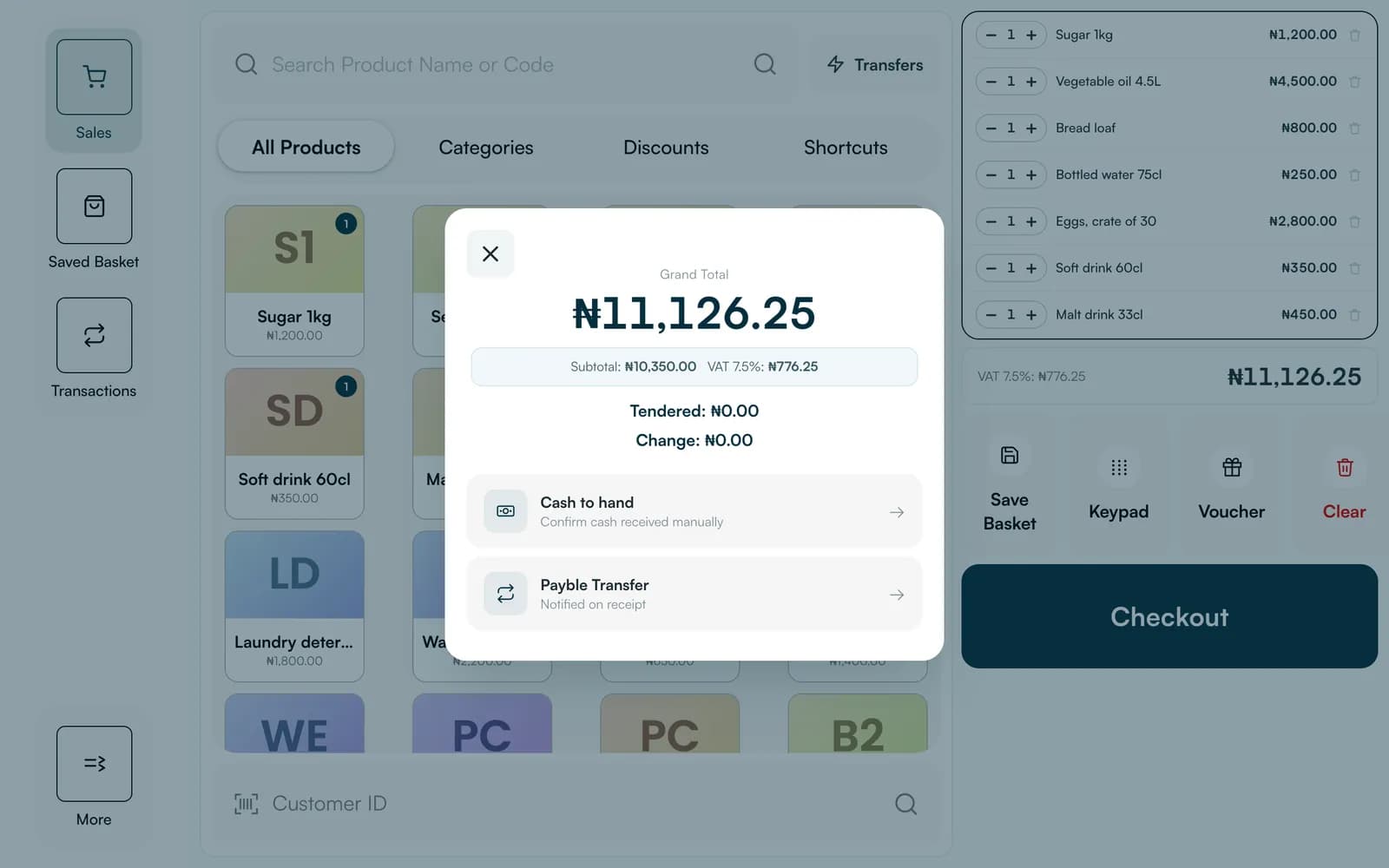
The app is made for a phone. Till, our point of sale, is made for a tablet or a computer at the counter, and the online store works in any browser. These are their real screens, with sample data.
FAQ
Straight answers about Payble, your money and how it works.
By card or contactless on a Payble card reader or terminal, by bank transfer to the business account number, through a payment link, or by ordering on the online storefront.
Only to take card and contactless payments in person. Transfers, payment links and storefront orders do not need one.
In the app's transaction ledger, which lists every payment with its channel, reference and status.
Tell us about your business and we will set you up and help you start using it.