
Today at a glance
Total inflows and outflows for the day, and how many successful transactions there were.
Platform
A live view of money in and money out, a full transaction ledger and statements you can export. Everything an accountant will ask for, without the scramble.
What you get
Total inflows and outflows for the day, and how many successful transactions there were.
Every transaction with its reference, channel and status, searchable and filterable.
A statement for any period showing revenue, cost of goods, VAT, fees and profit, exported as PDF or Excel.
Match terminal sales to bank deposits so what you took is what arrived.
Statements
The statement starts from all your inflows across storefront, terminal, transfers and till, then takes off the cost of goods, fees and the VAT you collected.
Where the money went
This monthA day in your business
The old wayAdding up sales from three different places
With PaybleOne dashboard of money in and money out
The old wayBuilding a profit statement in a spreadsheet at month end
With PaybleA statement generated for any period
The old wayHanding your accountant a shoebox
With PaybleA PDF or Excel export
How it works
Sales, expenses and payouts are recorded as they happen.
Open the dashboard, the ledger or a statement.
Download a PDF or Excel copy for your accountant or your records.
In the app
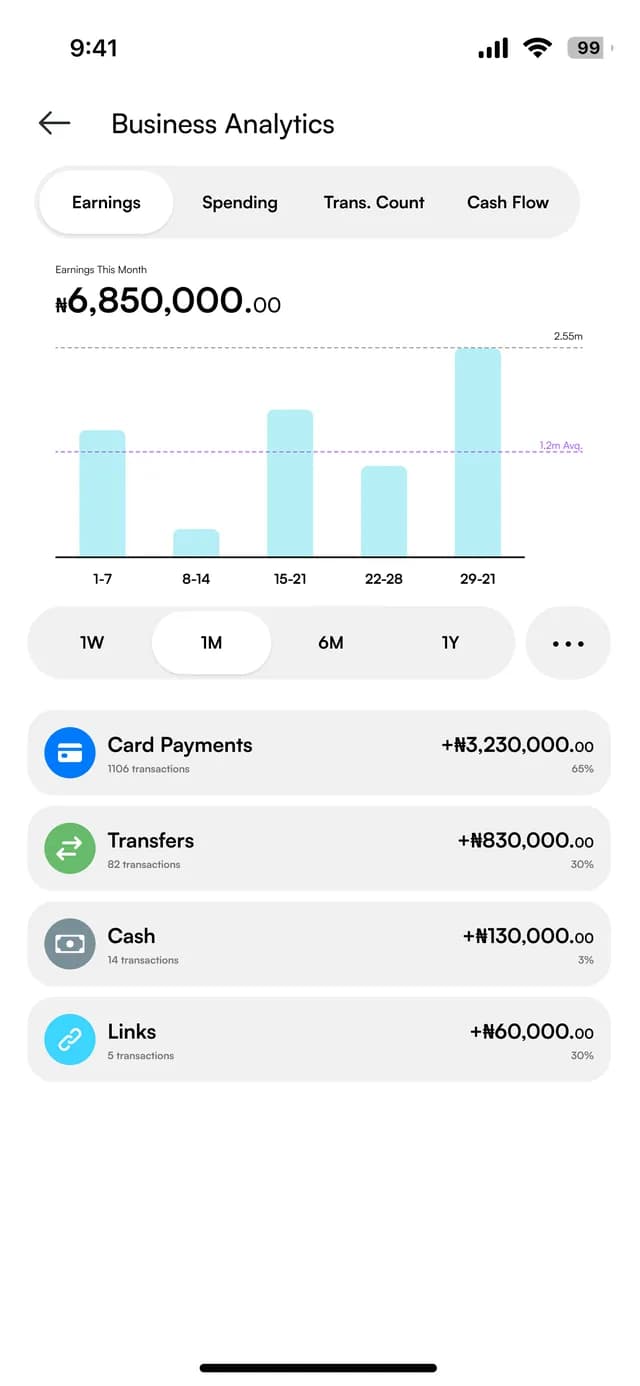
Earnings, spending and reports for the period you choose. The figures on these screens are sample data.
Earnings
Money in for the month, by week, and by card, transfer, cash and link.
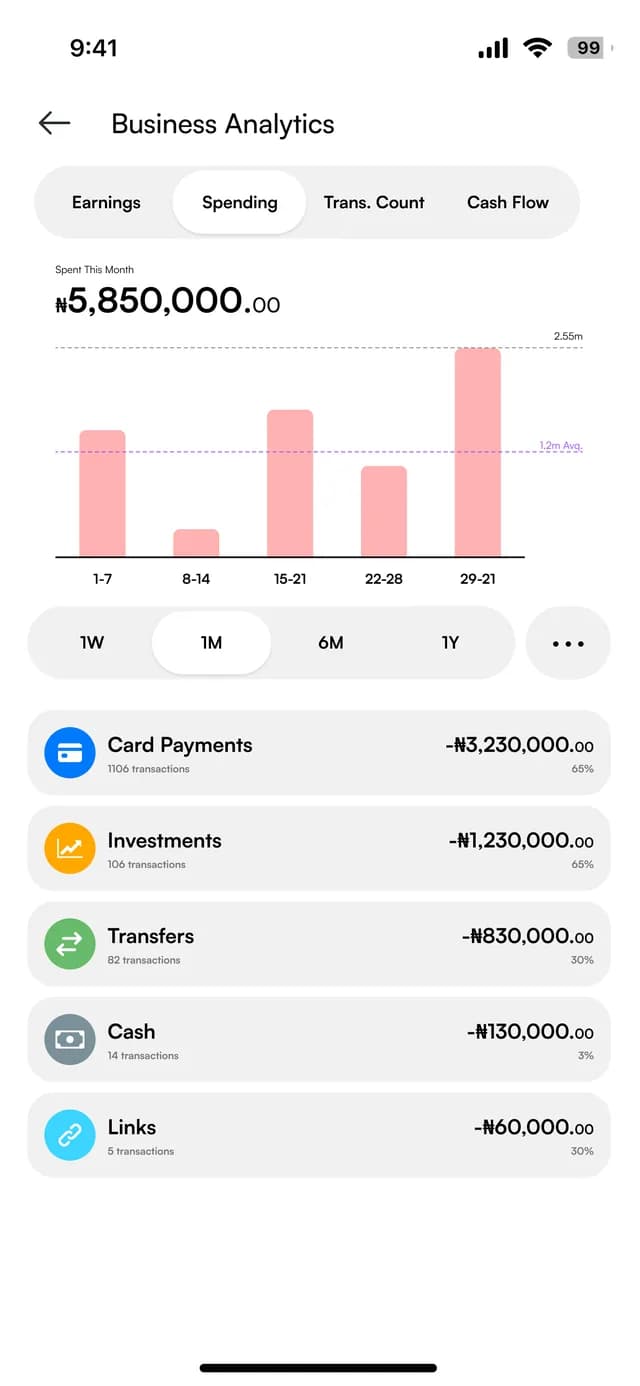
Spending
The same view for money out.
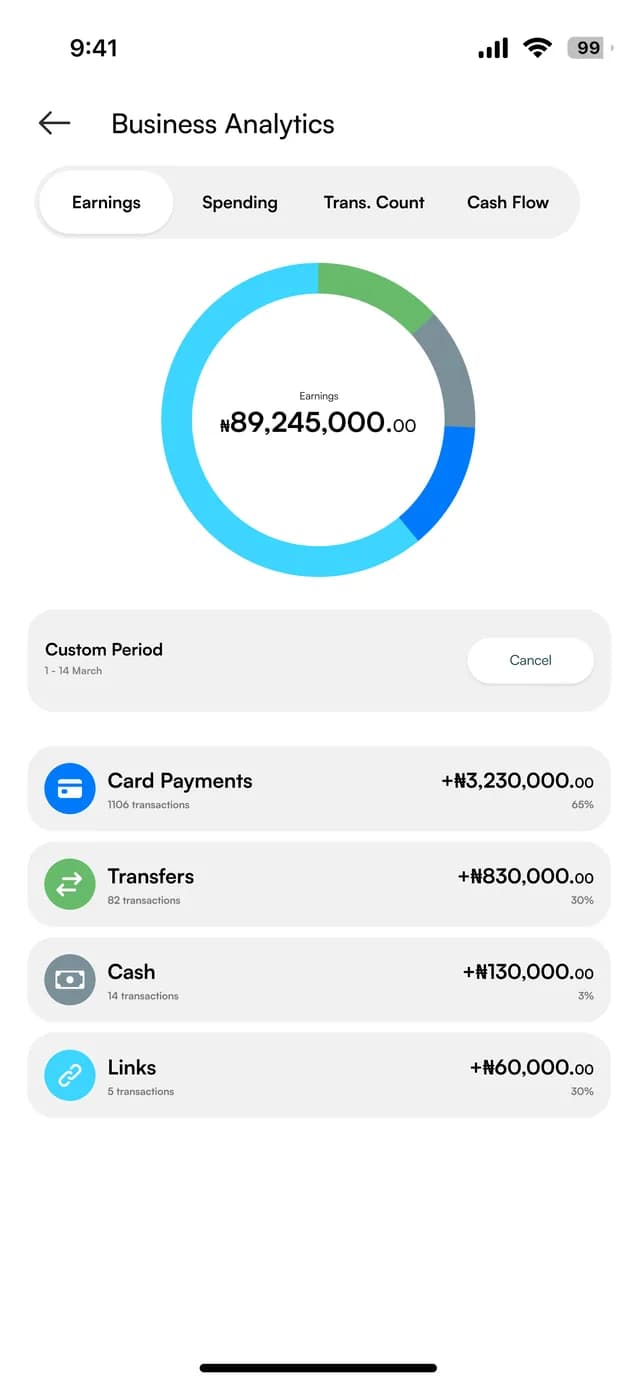
By payment type
A ring chart of where the money came from, with a custom period.
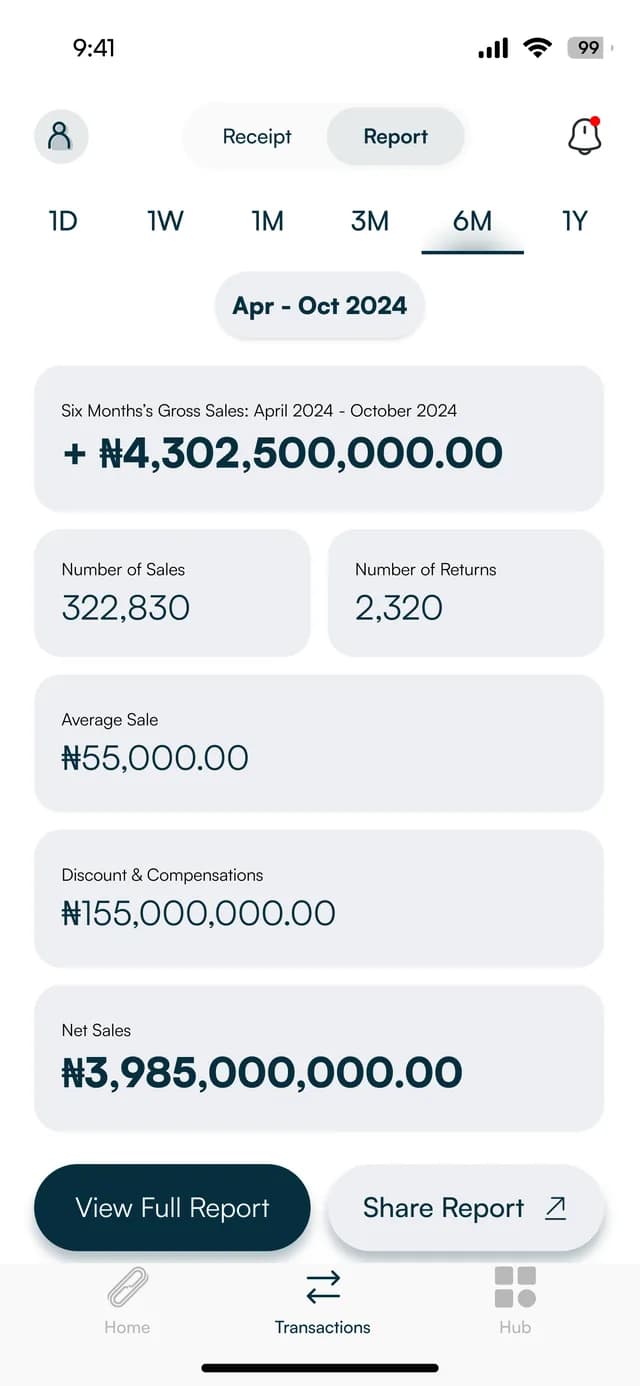
Reports
Gross sales, sales, returns, average sale and net sales, with View Full Report and Share Report.
At the counter
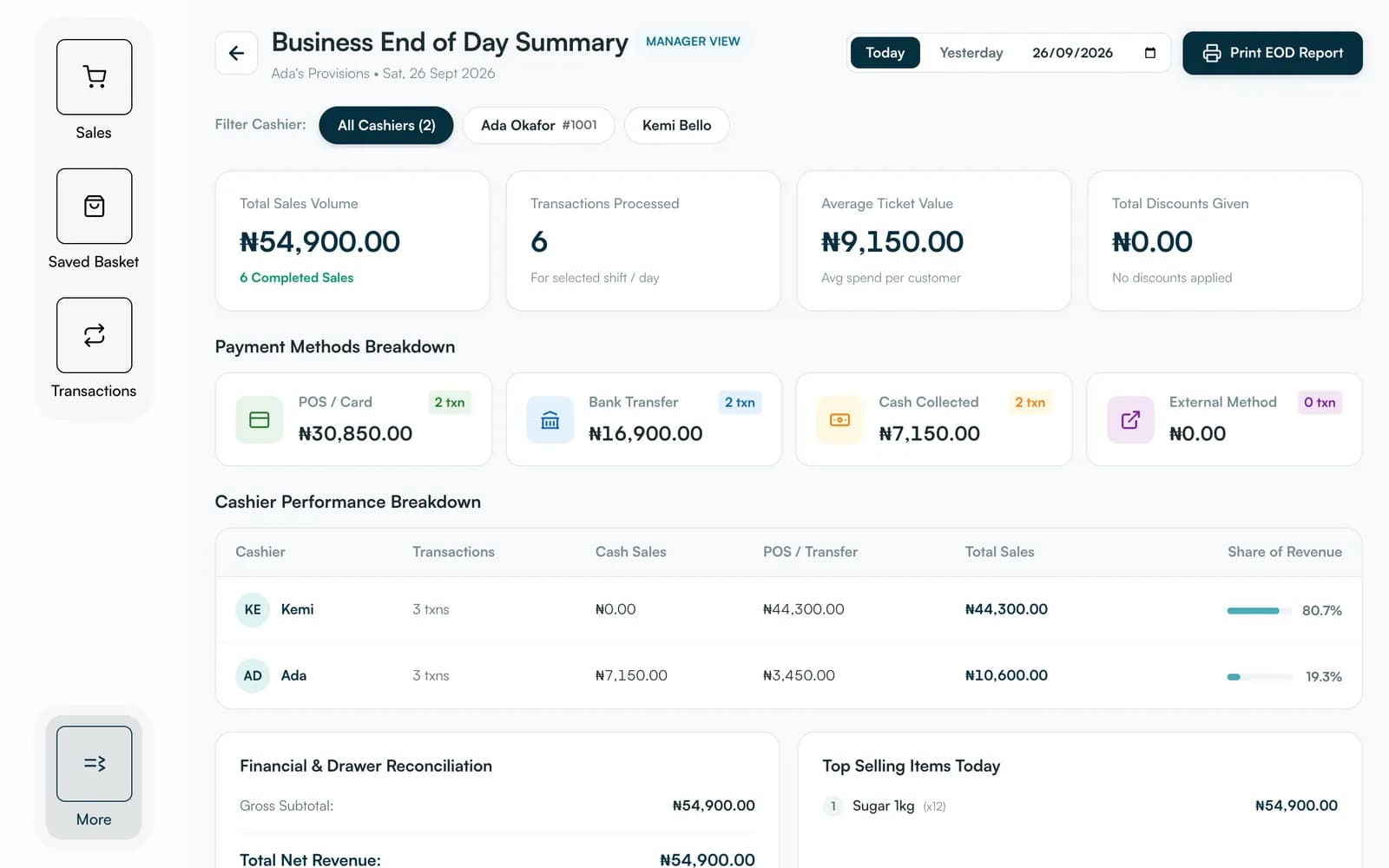
Till has its own summaries for the day, made for the tablet or computer at the counter. These are the real screens, with sample data.
FAQ
Straight answers about Payble, your money and how it works.
Yes. Financial statements can be exported as PDF or Excel, and receipts as PDFs.
Yes. The statement shows the VAT you collected, so you can see net sales without it.
Yes. You can filter the ledger by channel, such as card, transfer, payment link, storefront or till.
Tell us about your business and we will set you up and help you start using it.