
One account for the business
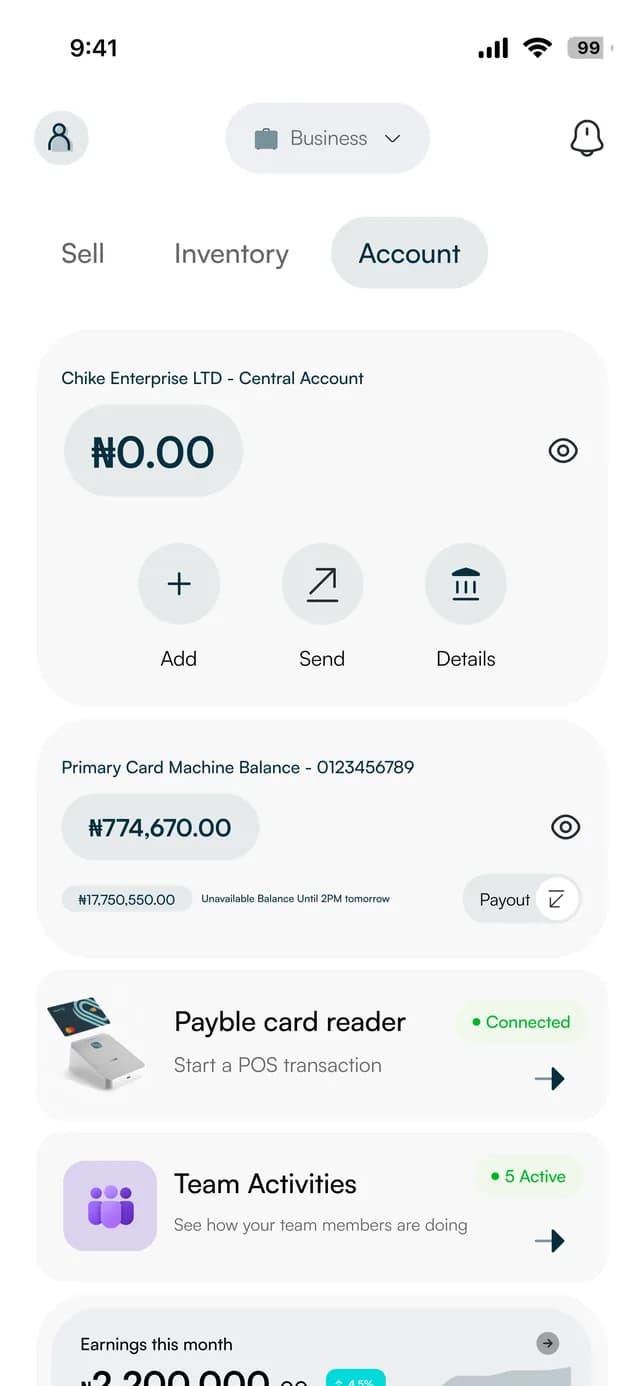
Your balance sits on the first screen, with the buttons to add money, send money and see your account details.
Essentials
One account for the money your business takes in and sends out, opened in the app and provided by our partner bank. Get paid by card, transfer, link or QR code, pay suppliers with a receipt, and see it all in one place.
What you get
Your balance sits on the first screen, with the buttons to add money, send money and see your account details.
Customers can pay you by bank transfer to your business account number, and the sale is recorded for you.
A payment is confirmed by entering your PIN before it leaves, and every transfer comes with a receipt.
Every payment in and out lands in the same ledger, and statements export as PDF or Excel for your accountant.
Who's behind it
The account is provided by TagPay. Payble is the app you run it from.
TagPay is a mobile money service licensed by the Central Bank of Nigeria to provide mobile money services. It provides the account and the banking behind it. We are not a bank.
Deposits held with TagPay are insured by the Nigeria Deposit Insurance Corporation (NDIC), up to ₦250,000 per depositor.
Every account goes through identity (KYC) verification, so the people you pay and get paid by are real.
Money in
Card and contactless on a reader or terminal, a bank transfer to your account number, a payment link, a QR code or an order on your online storefront all land in one place, each marked with the channel it came through.
New sale
In store₦12,500
Card machine balance
Money you take on a card machine or card reader is kept in its own balance, separate from your main account. Card payments settle the next business day; transfer payments taken on the machine are available immediately. Move what has settled to your account whenever you choose.
Card machine balance
Separate from your accountMoney out
Choose the bank, enter the account number and check the verified name before you confirm. Save the people you pay often, and keep a receipt with a reference for every transfer.
Send money
VerifiedTo
Tunde Bakery Supplies
Bank account ending 4821
Amount
₦85,000
Who can do what
Add your team and choose what each person can reach: a cashier works at the till, finance sees the statements and a manager runs the shop. You stay in charge of the account.
Team access
Passcode onAda · Admin
Full access
Kemi · Finance
Statements and reports
Chidi · Cashier
Point of sale only
Sade · Manager
Store management
A day in your business
The old wayChecking a bank app, a terminal slip and a notebook to work out what came in
With PaybleOne ledger for card, transfer, link, QR and storefront payments
The old wayNot knowing when a card machine payment is actually yours to spend
With PaybleA separate balance shows what has settled, and you move it yourself
The old wayTyping an account number from a chat message and hoping it is right
With PaybleThe account is verified before you send, and you keep a receipt
The old waySharing one login and hoping nobody sees too much
With PaybleA role for each person, and a PIN to confirm a payment
The old wayAsking for a statement when the accountant needs one
With PaybleExport a statement as PDF or Excel from the app
How it works
Share a few details on our Get started page and we contact you personally to set you up.
Confirm your phone number and complete identity (KYC) verification.
Add money, then take payments and pay suppliers from the same place.
In the app
Screens of the business app. The names and figures on them are sample data.
Your account
Your balance, with Add, Send and Details.
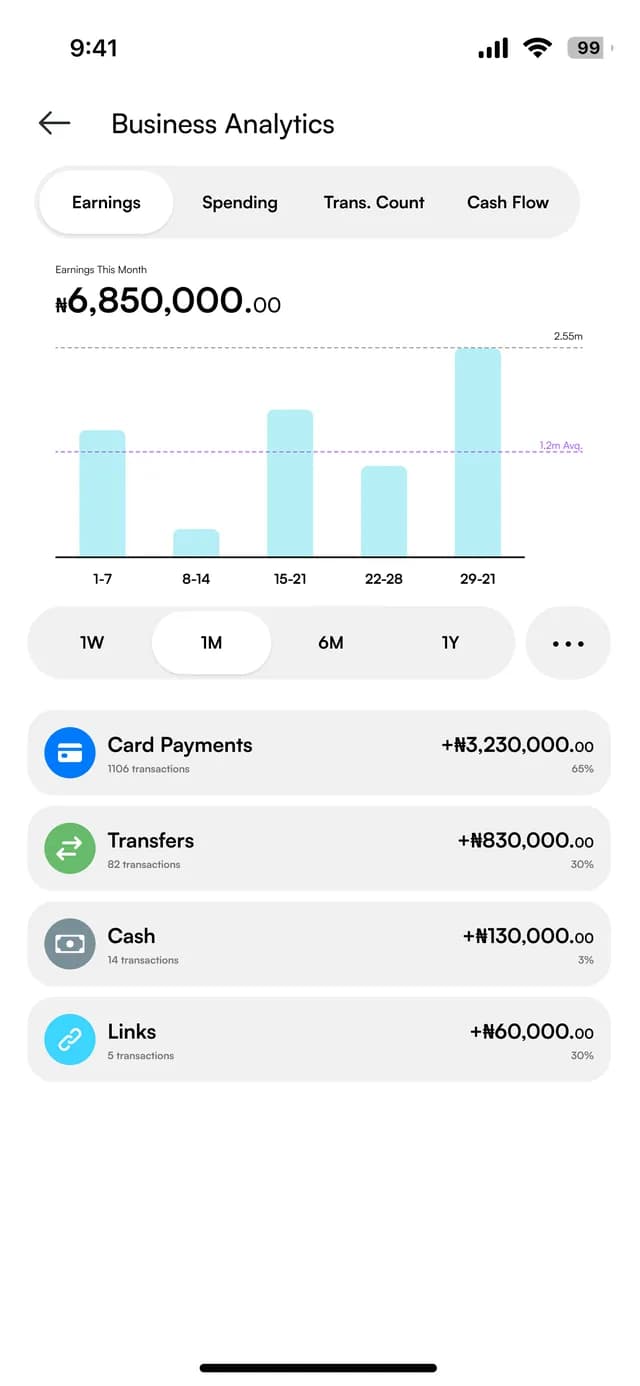
Money in, by channel
Earnings split by card, transfer, cash and link payments.
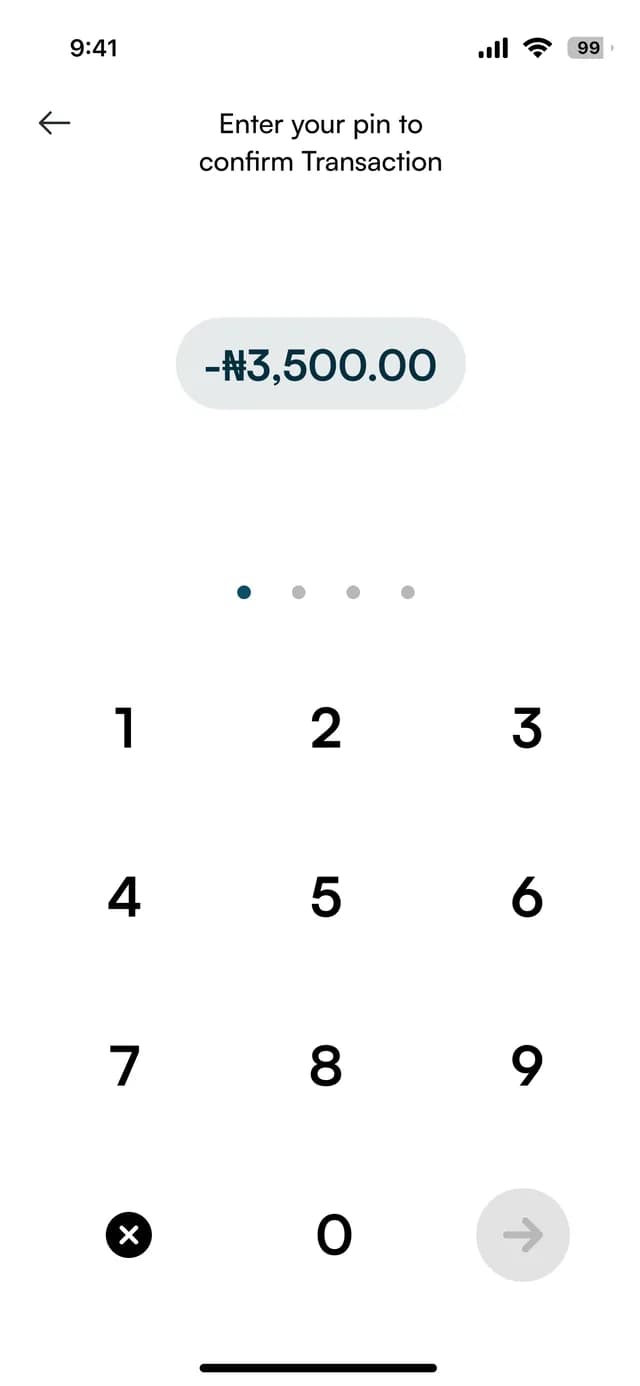
Confirm with a PIN
A transaction is confirmed by entering your PIN.
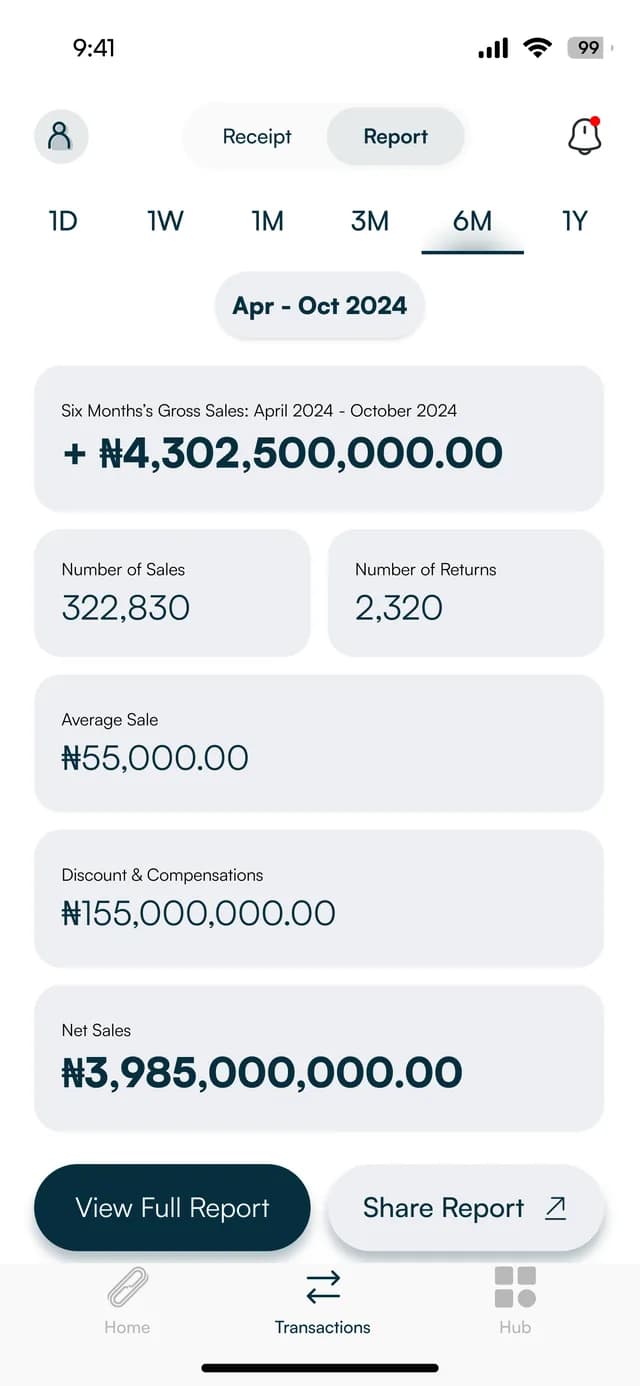
A report to share
A six-month report you can view in full or share.
FAQ
Straight answers about Payble, your money and how it works.
It is the account your business uses to receive payments, send money and keep its records in the Payble app. It is provided by TagPay, a mobile money service licensed by the Central Bank of Nigeria to provide mobile money services. Payble is not a bank.
Deposits held with TagPay are insured by the Nigeria Deposit Insurance Corporation (NDIC), up to ₦250,000 per depositor. Accounts are identity-verified (KYC), and you control who on your team can do what. The security page has the details.
Anyone running a business: a freelancer, a sole trader, a registered business name or a limited liability company.
Tell us about your business on our Get started page. A member of our team contacts you personally, sets you up and helps you complete your identity (KYC) verification. Then you can start taking payments.
No. You can be paid by bank transfer, a payment link, a QR code or your online storefront. A card reader or terminal adds card and contactless payments in person.
Money you take on a card machine or card reader is kept separately from your main account balance. Card payments settle the next business day; transfer payments taken on the machine are available immediately. You move what has settled to your account yourself, whenever you choose.
The business account itself has no monthly fee. Fees for individual payments and transfers are on the pricing page; they are indicative for now. Ask support if you want to know about anything else.
Multi-currency accounts are coming soon. They are not available yet and no date has been set. When they open they will be added to your existing business account.
Yes. You can add team members with roles such as cashier, supervisor, manager, finance and sales, and switch anyone off at any time.
Yes. Open financial statements, choose the period and export it as a PDF or Excel file.
Tell us about your business and we will set you up and help you start using it.