
A storefront for shops and menus
Choose shop mode for goods or menu mode for a restaurant or café, add your logo and cover banner and you are live.
Merchant
Open a storefront that stays in step with your stock, take orders and payments online, and let trusted customers pay later when you choose to allow it.
What you get
Choose shop mode for goods or menu mode for a restaurant or café, add your logo and cover banner and you are live.
The storefront reads from the same catalogue as the till, so you do not sell what you no longer have.
Connect a custom domain so customers see your name, not ours.
Take payment at checkout, and allow pay later for the customers you trust.
Delivery and pickup
Add the locations you deliver to with their own fees, or let customers collect in store or order to a table.
Orders
4 open#1042 · Pickup
Paid
#1041 · Delivery
Paid
#1040 · Table 3
Paid
Conversations
Customer messages sit beside the orders they are about, so nobody has to hunt through a phone for the thread.
Ask a question
OnlineHow do I share a payment link?
Open Payment links, choose a link and tap Copy. You can also share its QR code.
A day in your business
The old wayTaking orders in chat and chasing screenshots of transfers
With PaybleCustomers order and pay on your storefront
The old waySelling something you no longer have
With PaybleThe storefront reads from the same stock as your till
The old wayNegotiating delivery fees message by message
With PaybleSet delivery zones and fees once
How it works
Add your logo, banner, delivery locations and the VAT rate you charge.
List products and services, and decide whether out-of-stock items are visible.
Send the link, print the QR code or connect your domain, then fulfil orders from your board.
The customer's view
The storefront is built for phones, because that is where most customers shop. These are the real screens, in a store's own colours, with sample data.
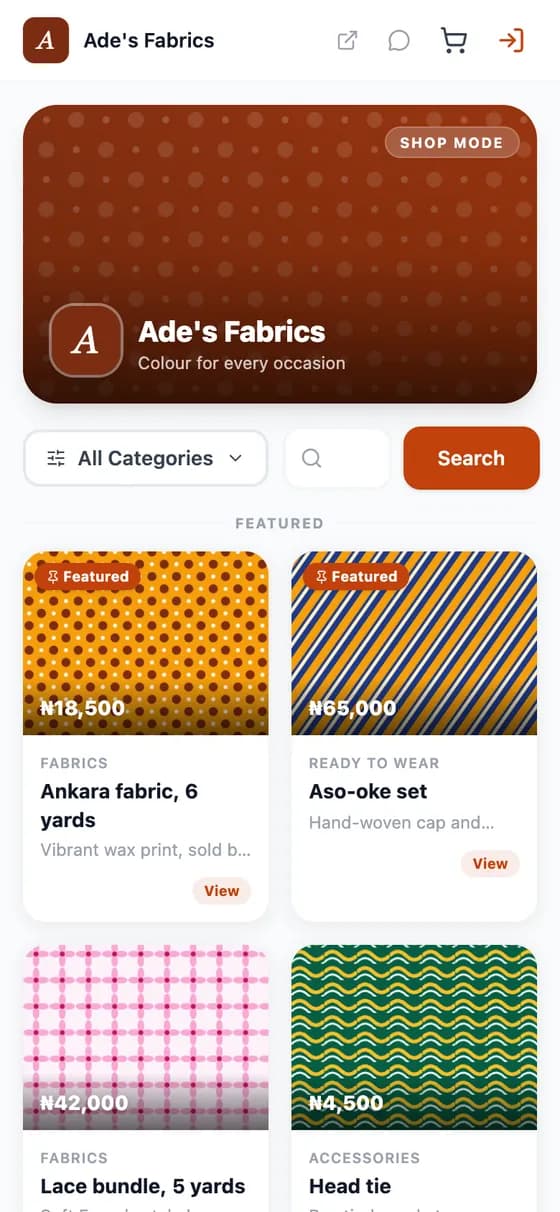
Browse
Your logo, banner and colours, with featured products pinned to the top.

Choose
A clear product page with quantity and price.
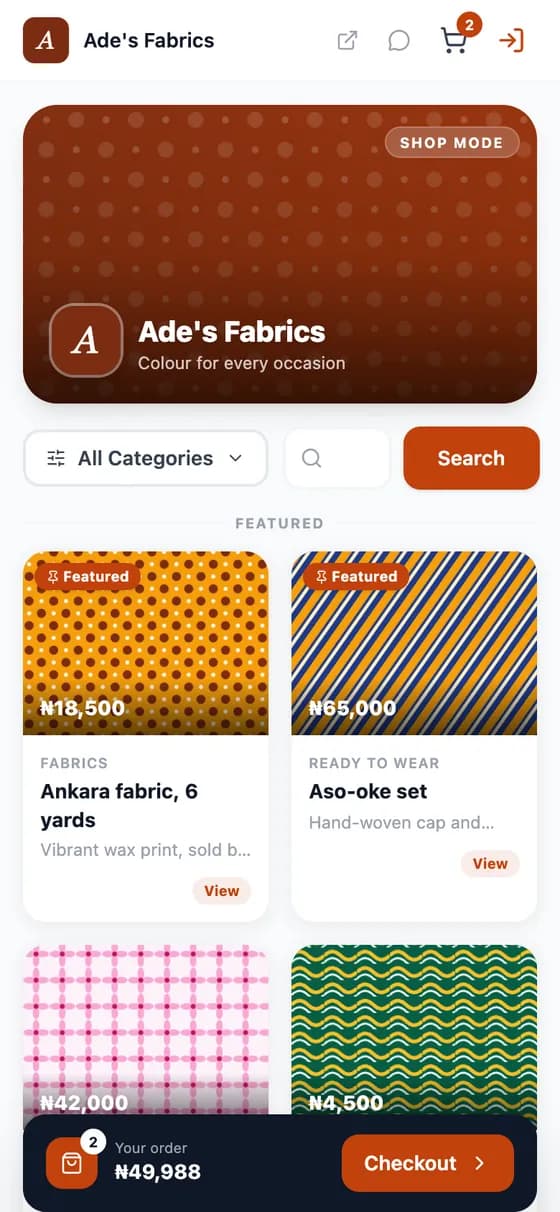
Add
A cart bar follows the customer with the running total.
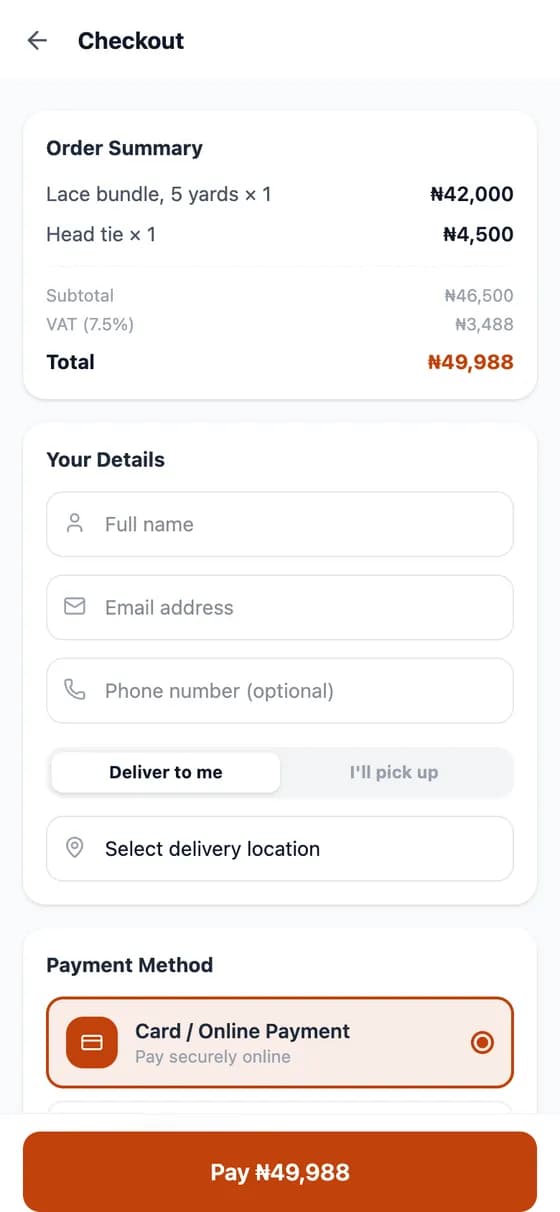
Pay
Deliver or pick up, pay online, and see VAT clearly.
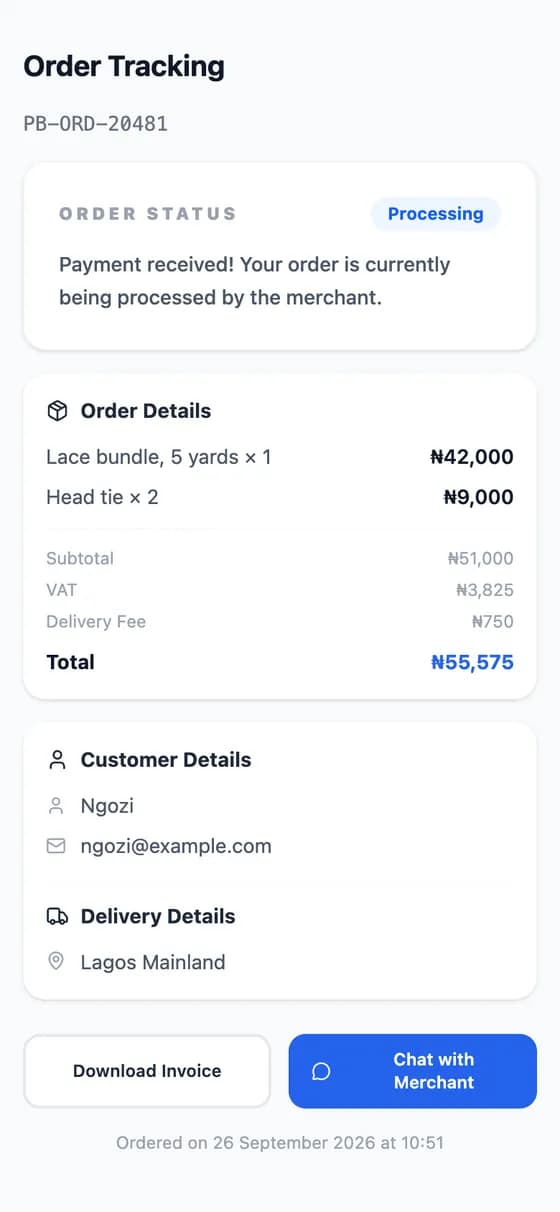
Track
A link to follow the order, download the invoice or message you.
Menu mode
For restaurants and cafés the storefront becomes a menu: guests add dishes, review the cart and order from the table.
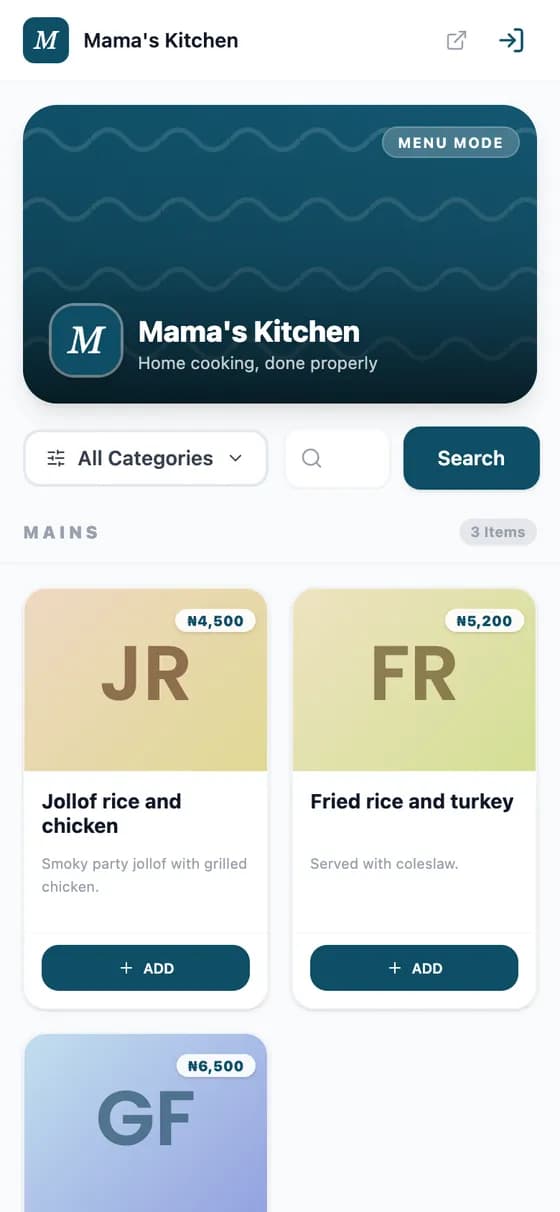
The menu
Dishes by category, each with an Add button.
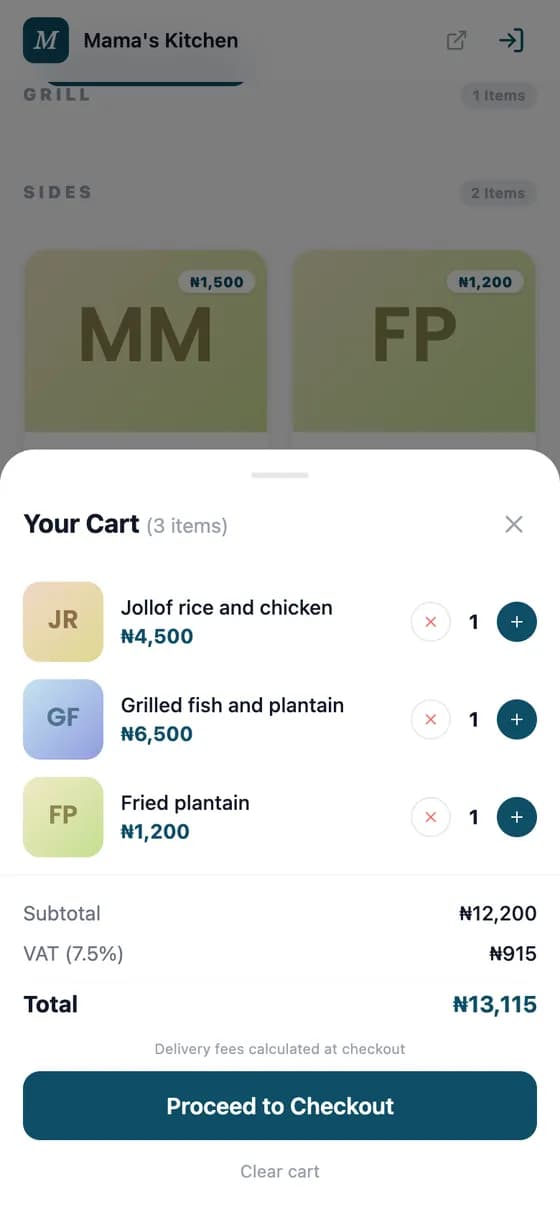
The order
Review the order and proceed to checkout.
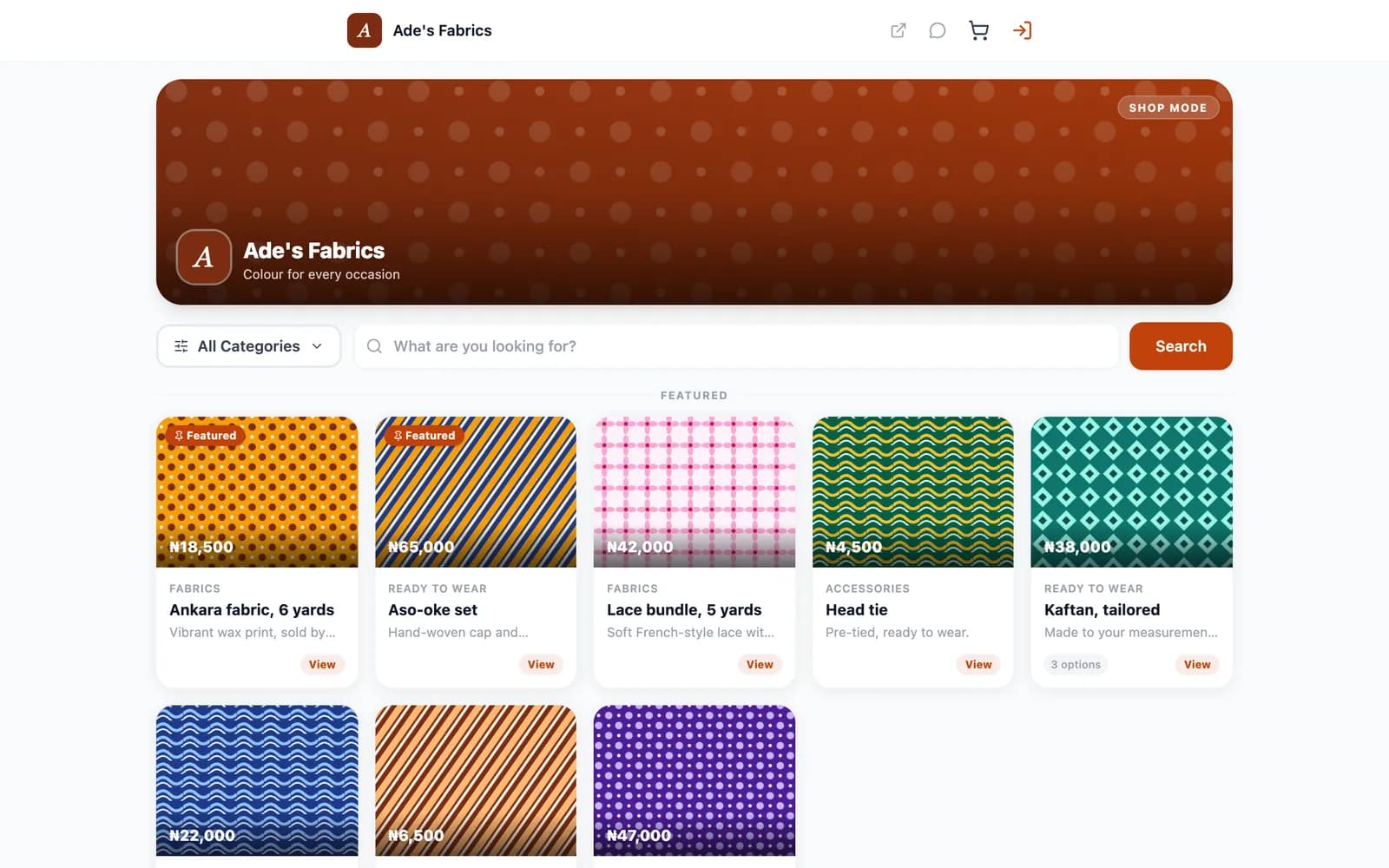
On a computer
The same storefront lays itself out for a laptop or a desktop.
FAQ
Straight answers about Payble, your money and how it works.
Yes. You can connect a custom domain to your storefront by adding a record at your domain provider, and the app shows you what to add.
Yes. The catalogue holds products and services together, and either can be shown on the storefront.
You can switch on pay later for your storefront. It is off unless you choose to allow it.
Yes. Menu mode is built for restaurants and cafés, with a digital menu QR code and table ordering.
Online store checkout is priced per order, and the fee is on the pricing page, before VAT.
Tell us about your business and we will set you up and help you start using it.